
Smart Printing: document workflow automation
The right document to the right printer, every time.
Eliminate manual print dialogs. Smart Printing provides an intelligent decision layer that routes your documents to the correct printers and formats. It reads your Business Central data in real time, routing invoices, pick instructions, and automated customer email notifications based on your rules and fields on each document.

Automated document routing
Escape the clicks, errors, and delays of standard printing in Business Central
Standard Business Central requires constant human interaction to sort, trigger, and route basic paperwork to physical workstations or manually send out routine customer emails. As order volume scales, manual printing and emailing workflows break down, causing picking delays, lost packing slips, expensive compliance fines, and critical operational bottlenecks that expose your business to severe logistical and financial risks.
Tedious Manual Labor
Operators waste hours manually selecting printers, hunting for the right email address, and picking report layouts for every individual document they process. Bulk printing an entire document queue means enduring a mountain of click-heavy, one-at-a-time actions that slow down the shipping dock and create massive administrative backlogs.
Human Error and Costly Compliance Fees
It is incredibly easy for a busy warehouse worker to accidentally send a document to the wrong printer or email, miss a critical regulatory requirement, or forget an auxiliary form. These manual missteps lead directly to severe compliance fines, customer disputes, and costly shipping delays.
Expensive Custom Code for Simple Routing
Standard Business Central printer setups and extensions can connect to hardware, but they lack a native rules engine. To achieve conditional printing, like routing pick instructions to a specific warehouse printer based on line item location, businesses must pay for expensive custom code.
The solution
Smart Printing
SalesPad Smart Printing is an automated, rules-based document routing and printing extension for Microsoft Dynamics 365 Business Central. It eliminates manual print decisions by translating live order data into automatic actions, ensuring the correct paperwork is sent to the right printer or email destination during specific workflow steps.
Our tool provides an intelligent decision layer over your printing hardware. Smart Printing removes the complexity from sorting and routing, instantly preparing every required document and label for the correct warehouse stations the moment you hit print. Paperwork bottlenecks disappear, user error is eliminated, and orders flow accurately from your system to the shipping dock.
How it works
Take complete control of document routing
Smart Printing layers an intelligent routing matrix over your physical infrastructure. Instead of relying on manual clicks, the system automatically determines the document type to print, when to execute, and which warehouse station should receive the job.
No infrastructure overhaul required
Smart Printing works with the Business Central printers in your existing setup, whether you’re using native printing, email-to-print, or custom print extensions. Go live without replacing a single piece of hardware, drivers, or servers.
Step 1
Map your print profiles
Admins define global, pre-mapped profiles just once. Choose your target Business Central report layout, select the destination printer, and save it.
Step 2
Set your routing rules
Tell the system exactly when to execute. Set conditional triggers based on your live data, such as routing by warehouse zone, checking for a blind-ship flag, or identifying a user-defined custom field.
Step 3
Run unattended printing with Mission Control
Turn your team completely hands-off. When paired with Mission Control, the moment orders hit workflow milestones, the automated routing logic executes the perfect print run simultaneously across your entire fleet.
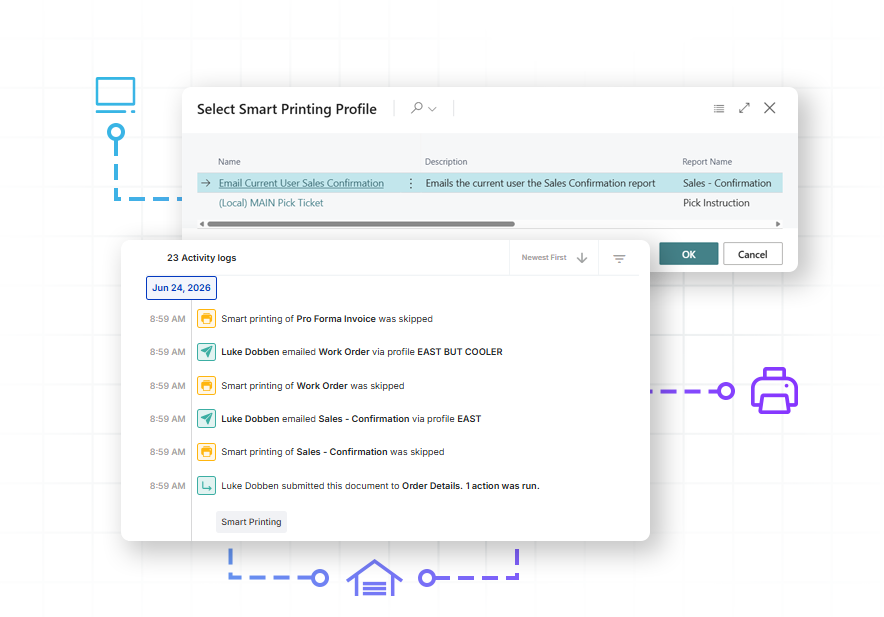
Never miss a beat
Intelligent, automated print routing for Business Central
Standard Business Central printing forces your team to make manual decisions for every single document. Smart Printing changes that. This native extension sits right above your existing hardware, translating your live order data into automated actions. Whether you are dealing with strict customer routing rules, complex warehouse zones, or rigid compliance labels, the system ensures the right paperwork hits the right station every time.
Automation requires both Smart Printing and Mission Control. While Smart Printing manages your profiles, rules, and layout logic to eliminate user error, Mission Control is the engine that executes those prints automatically at specific workflow steps or scheduled times.
Variable-based output control
Intuitively route orders to specific physical devices or email addresses based on data fields across your documents, customers, lines, or items. Assign specific printer destinations by warehouse zone, or trigger customer email notifications based on an account’s preferred contact fields.
Unattended workflow printing
Eliminate manual intervention entirely by letting your system print the moment milestones are met. Automatically fire off pick instructions overnight for the morning shift, or route packing slips and labels to the dock the moment a warehouse worker posts a shipment.
Hazardous materials safety nets
Protect your operations from heavy compliance penalties by auto-triggering specialized documentation, such as a hazardous material label, to print alongside standard pick instructions the moment a flagged item is found.
Automated blind shipping
Protect critical wholesale partnerships by automatically recognizing blind-ship order flags, immediately routing the job to specialized forms and printers designed to hide original shipper addresses.
Permanent request auditing
Maintain an unalterable historical log on every document to turn stressful billing disputes and rigid compliance checks into a clear, instant lookup that proves exactly when and where a document was sent.
Email-to-print connectivity
Route documents seamlessly by targeting any email-capable printer address, giving your team immediate out-of-the-box print routing capabilities without requiring local relay configuration costs.
Smart Printing + Mission Control
Protect profitability through more efficient fulfillment
Every unnecessary manual step adds cost to order fulfillment. Smart Printing helps distributors reduce that operational drag by automatically moving documents where they need to go as orders progress. Fewer manual routing decisions can mean less administrative work, fewer fulfillment delays, and more consistent execution across growing order volumes.
By connecting Business Central data directly to document workflows, teams can spend less time managing paperwork and more time keeping profitable orders moving—improving the everyday workflows that drive efficiency, customer experience, and overall profitability.

Interactive Tour
Experience Smart Printing in action
See how unattended warehouse printing keeps operations moving by delivering the right paperwork to the right dock with zero manual clicks.
Better, faster, easier
Take control of your fulfillment output with Smart Printing
Discover how our core platform capabilities transform daily operational friction into automated, error-free warehouse output.
Admins define global, pre-mapped profiles once. By locking in the exact layout and destination, you completely eliminate operator error, safeguard your workflow, and drastically reduce employee onboarding time.
Automatically evaluates data at the document, customer, line, and item level to route the print job.
Business Central supports custom layouts, but managing them is an administrative headache. Routing the right branded form to a specific customer or warehouse requires manual profile switching or costly custom code.
Works with any printer configured within Business Central, including those set up via Microsoft’s Universal Print. It sits seamlessly on top of your existing hardware layer to route documents cleanly to laser, multi-tray, thermal, and industrial label printers.
Bypasses local network restrictions when needed by routing documents directly to any printer using its unique email address.
Extends your automation across the entire transaction lifecycle, providing support for quotes, orders, invoices, returns, and pick instructions—whether you need to route them to a physical printer or trigger a native Business Central email notification.
Allows users to bypass background automation with a reliable, single-click manual print command directly inside the active card view.
Customer Success Story
Krowne
Krowne, a leader in stainless steel manufacturing, moved from a click-heavy, manual process to intelligent automation with Cavallo. By building their specific business rules directly into automated workflows, Krowne moved away from a manual, high-touch process. This took the guesswork out of their distribution, allowing orders to move through the system correctly and consistently every time. The result? A 60% reduction in order touchpoints and customer service resolution times slashed from five minutes to two.
“SalesPad takes out all the guesswork. It used to be very manual. We used to print out all our orders, and there was a time when we would alphabetize them in one building, then drive to one of our other buildings and distribute them. It was crazy. That’s all automated now, and it’s much more efficient than what we were doing.”
Kyle Forman, President at Krowne
Better together
The SalesPad for BC product suite
Smart Printing delivers massive value as a standalone utility, but its true power is unlocked when combined with the rest of the SalesPad for BC suite. By seamlessly connecting your printing rules with our advanced workflow and data tools, you can eliminate manual steps across your entire fulfillment cycle and scale your operations effortlessly.

Order workflow intelligence
Command your sales and service document management with no-code workflows, process automation, and real-time order visibility that streamlines fulfillment and enforces process controls.

Automated pricing logic
Take complete control over your calculation logic. Execute complex customer agreements, specialized cost-plus rules, and targeted exceptions directly at the sales desk without manual calculations.

Automated document & email routing
Orchestrate your entire paperwork flow, instantly routing invoices, pick instructions, and labels to the correct printers based on the unique rules and fields of each transaction.
All within

Real-time margin protection
Protect your bottom line with real-time margin scanning that detects financial risk and flags low-margin or non-compliant orders before they are processed.

AI-powered customer insights
Transform customer data into actionable strategy. Gain immediate visibility into an account’s financial contribution and use AI-powered behavioral analysis to identify customers at risk of leaving.

Integrate essential data
Build custom fields or pull in data from third-party applications natively within Business Central.
Smart Printing + Mission Control
Achieve hands-off fulfillment
Fire off complete document packs, from pick instructions to automated email notifications in your customer’s inbox, the second an order hits a workflow milestone, keeping your shipping dock moving with zero manual clicks.

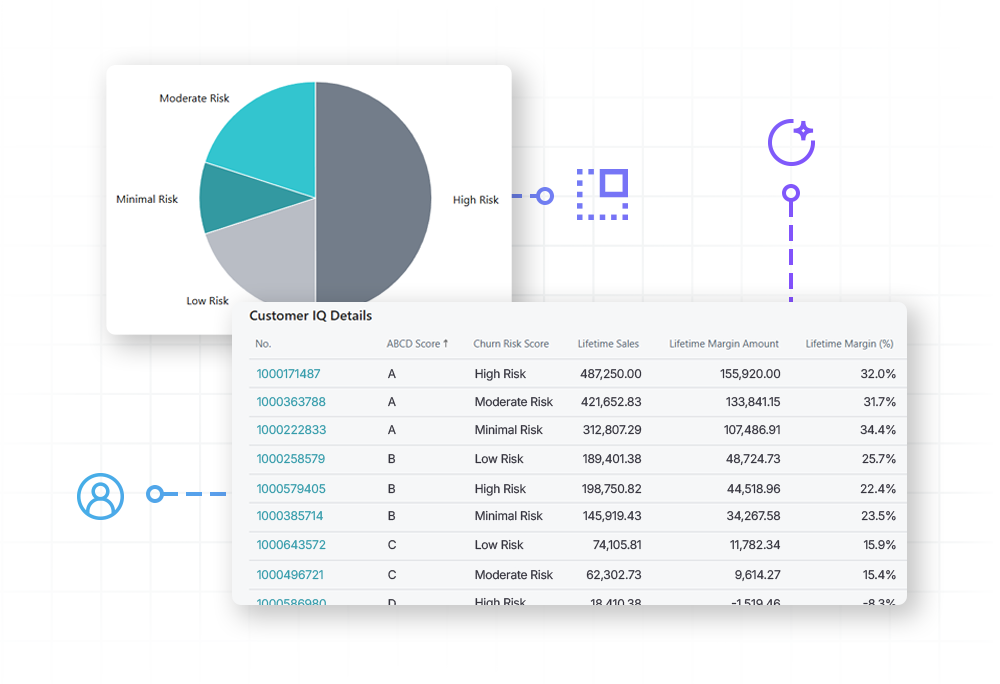
Smart Printing + Customer IQ
Tailor warehouse output by account health
Automatically trigger targeted packing inserts, custom promotional messaging, or specialized handling instructions based directly on an account’s profitability or churn risk to protect and grow your most valuable relationships.
Smart Printing + Custom Fields
Route complex workflows using your own proprietary data
Stop paying for custom engineering just to get your system to talk to your printers. Smart Printing lets you turn any user-defined field, whether created in-house or introduced by a third-party app, into automatic routing triggers, safely dispatching custom forms and shipping paperwork with zero code.

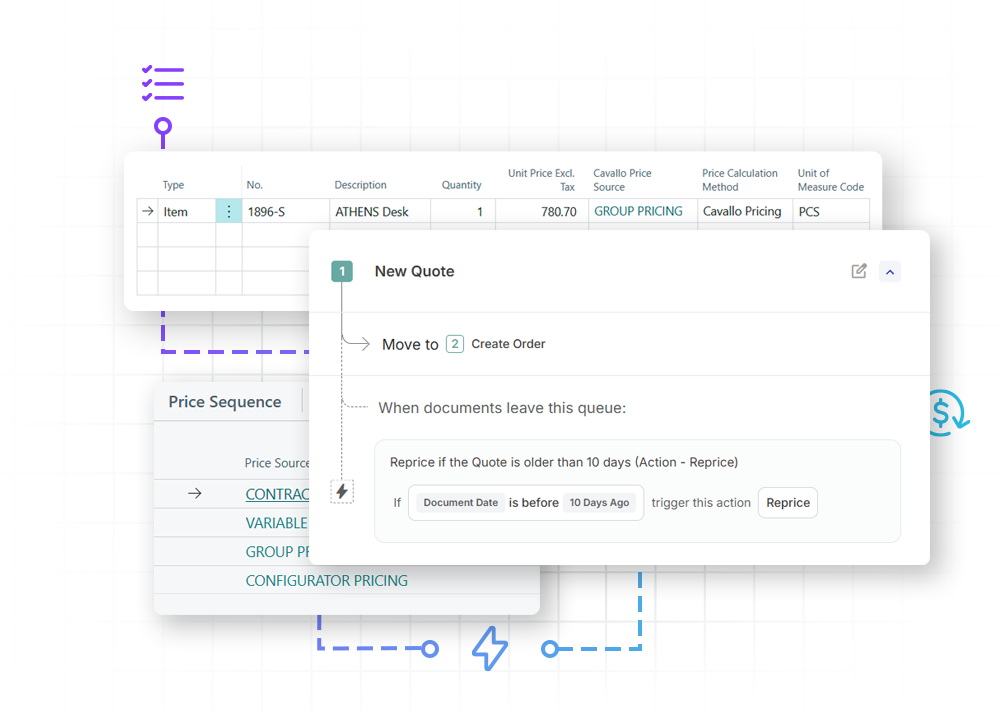
Advanced Pricing
Enforce accurate pricing from order entry to delivery
Bridge the gap between the front-end sales desk and the back-end shipping dock by automatically honoring complex pricing rules, customer contracts, and margin guardrails from quote to crate.
Profit Scan
Stop low-margin orders before they ship
Profit Scan evaluates order profitability in real time, instantly catching pricing errors, flagging low-margin deals, and blocking unprofitable shipments before they ever leave your system.


Payment Processing
Secure funds before fulfillment
Requires Mission Control.
FAQ
Do I need to replace our current print drivers or physical relay servers?
No. Smart Printing works instantly with your existing Business Central printers, extensions, and relays. It acts as an automated routing supervisor, giving you total printing workflow control without forcing an expensive hardware overhaul or network change.
Can we route print jobs using custom fields introduced by third-party apps?
Yes. The rules engine treats data from external extensions—such as a specialized warehouse management system (WMS) or advanced shipping tool—exactly like native Business Central fields. If a third-party application flags an order line or populates a unique document attribute, our software can instantly evaluate that data point to govern its printing destination.
Can I automate printing for multiple documents simultaneously?
Yes. When paired with Mission Control, the system can trigger and route distinct customer invoices, custom labels, and packing slips all at the same time the moment a workflow milestone is met.
We use highly customized, proprietary report formats. Will Smart Printing support them?
Absolutely. Because the engine triggers prints inside your environment, it respects the exact rendering rules of your custom document packages. Your corporate branding, matrix tables, barcodes, and custom alignments pass through flawlessly to the physical page, exactly as your design team intended.
What is the difference between Smart Printing and standard email-to-print setup?
Out of the box, Smart Printing allows you to route documents directly to any printer using its unique email address, completely bypassing local network restrictions and relay configuration costs on day one. Unlike standard basic email utilities, Smart Printing also lets you apply complex conditional filters to those email destinations, deciding when and why a document should be routed there based on your live order data.
What kinds of printers are compatible with Smart Printing?
If Business Central can see it, Smart Printing can route to it. Because it manages the decision and routing layer rather than the physical hardware drivers, we support all devices your current system setup uses. This means you gain complete multivariable automation across standard office equipment like laser and multi-tray printers, industrial warehouse hardware like direct thermal and thermal transfer label devices, and any existing extensions you already run.
Does this app support automated customer emailing alongside physical printing?
Yes. Smart Printing acts as a complete document output manager. In addition to hardware routing, it integrates with Business Central logic to automate customer notifications. You can map specific Smart Printing profiles to trigger customized email templates natively inside BC. When combined with Mission Control, you can notify your accounts the moment an order is received or ready to ship, entirely removing the need for manual emailing.